
Contextual Internal Linking
for Webflow Automated:
Boost SEO and UX
Install the LinkerFlow app on your Webflow site, connect Google Search Console, and get contextual link suggestions for every CMS item. Approve them and they are published straight into your Rich Text fields.






1000+ sites use LinkerFlow
Organic traffic
+127%
Internal links built
Why LinkerFlow for Webflow?
Webflow has no built-in internal linking. LinkerFlow adds it.
In Webflow, every internal link is added by hand in the Designer or inside a Rich Text field. As your CMS Collections grow, older posts and Collection items stop receiving new links, and search engines visit them less often.
LinkerFlow reads every CMS item and static page of your Webflow project, works out which pages should point to which, and shows you the exact sentence where each link fits.
Made for Webflow CMS
Collections, Rich Text fields and static pages are read together, so suggestions follow the real structure of your Webflow project.
Links that read naturally
Each link sits on words already in your copy and joins two pages about related topics. No keyword stuffing, no awkward anchors.
Nothing goes live without you
Check the source item, target page, anchor and surrounding sentence, then publish to Webflow in one click.
From Webflow project to a fully linked CMS in three steps
No more opening every Collection item to add links by hand.
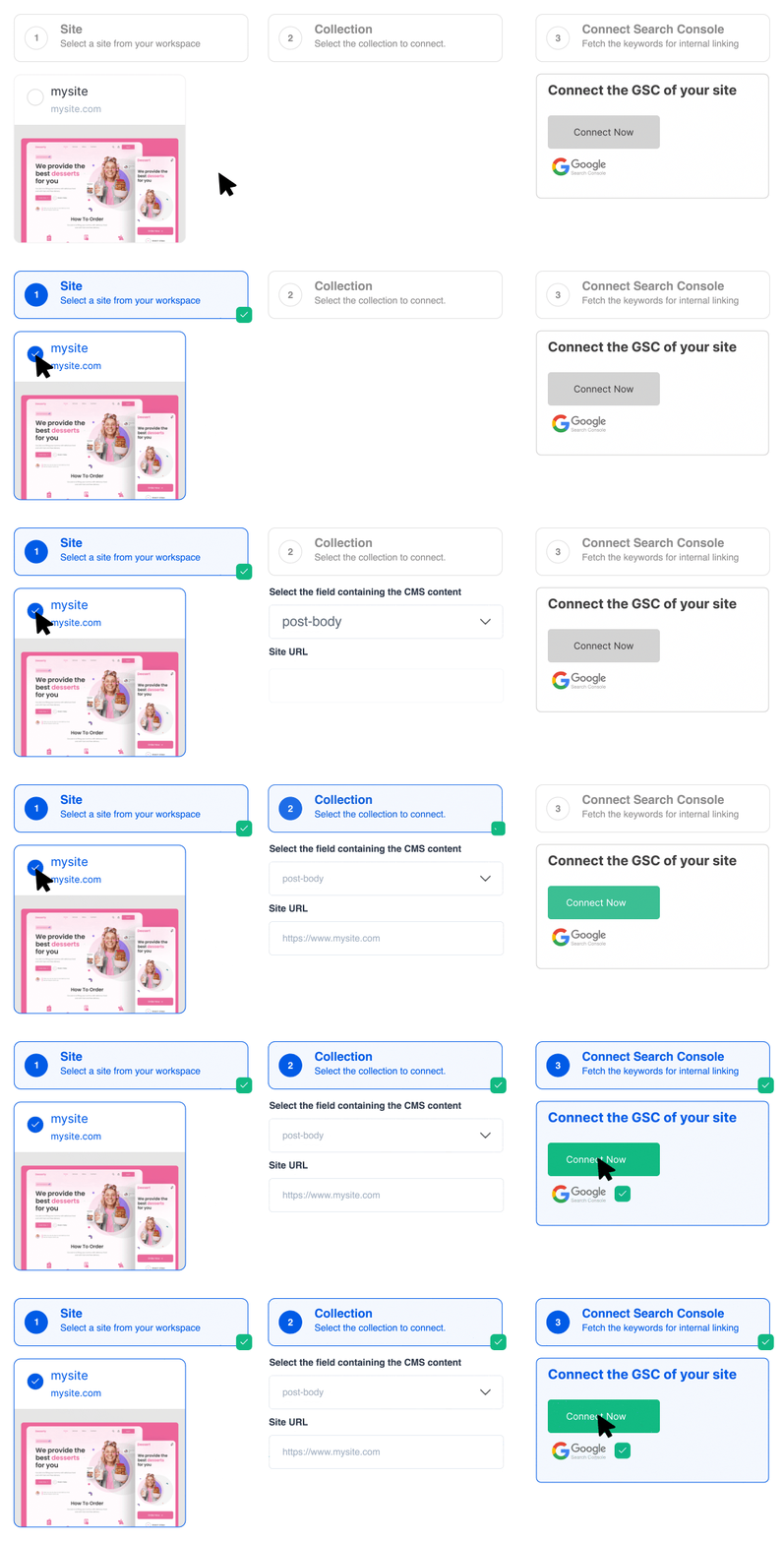
#1. Install the app on your Webflow site
Authorize LinkerFlow on your Webflow site in about 2 minutes and connect Google Search Console. The first crawl starts right away.
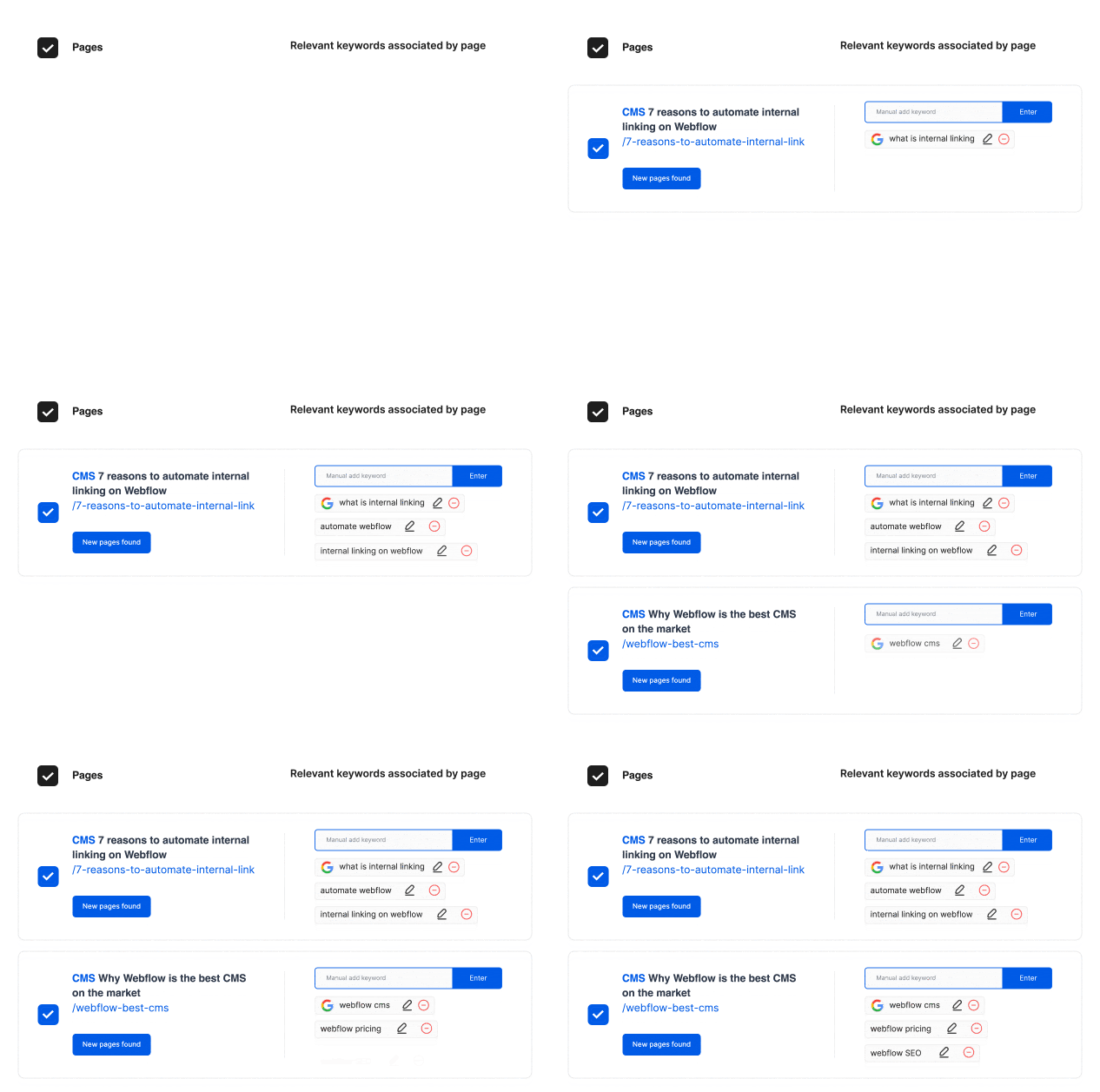
#2. Each page gets its target keywords
Search Console queries and an AI reading of your content decide which keywords each page should be linked with, so anchors match what people search.
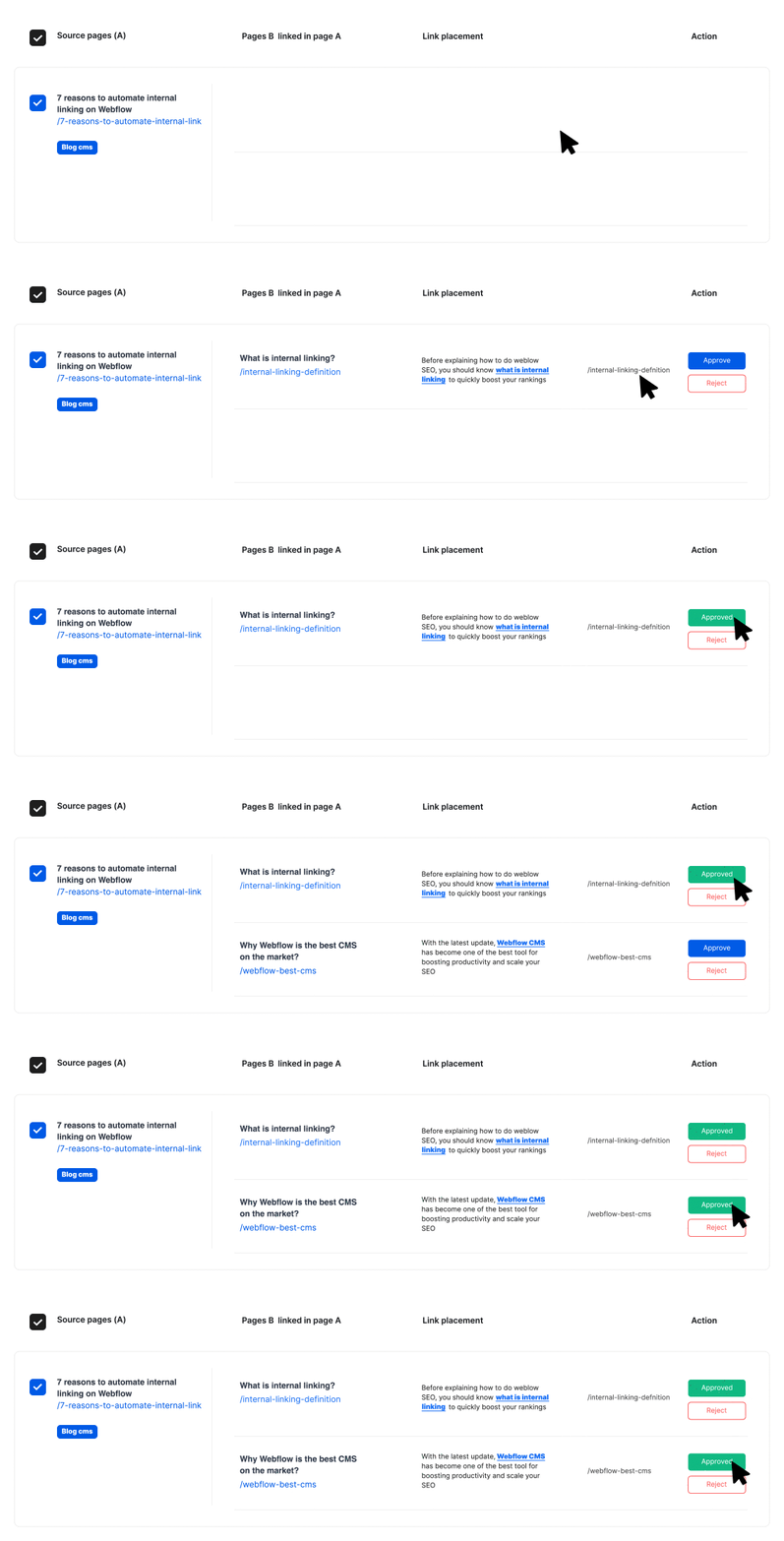
#3. Review, then publish to Webflow
Accept or reject each suggestion. Approved links are written into your CMS items and go live on your Webflow site.
Internal linking features made for Webflow
Missing something? Send us a message and tell us what your Webflow site needs.
Two-minute setup
Authorize the app, connect Search Console, and the first crawl of your Webflow site starts on its own.
CMS items and static pages
Links are inserted in your CMS Collection items and can point to any page of your site, static pages included.
Anchors from real search data
LinkerFlow pairs your Search Console queries with the content of each page to pick anchors people actually search for.
Stronger rankings for key pages
Contextual links send link equity to the pages you want to rank and build topical authority around your main subjects.
Weekly crawl
Every 7 days LinkerFlow crawls your Webflow site again, finds links for new CMS items and checks for broken links.
Broken links fixed from the dashboard
404 errors and broken internal or external links are listed with the page they appear on, so you can fix them from LinkerFlow instead of searching through the Designer.
Made for all kinds of Webflow site owners
Startups, creators and Webflow agencies use LinkerFlow to keep their CMS linked.
No code, no custom embed.
Startups and SaaS
Your marketing site keeps publishing while LinkerFlow links each new CMS item in the background.
Webflow freelancers
Add internal linking to every site you build. One plan per website keeps billing simple for each client.
Content and SEO teams
Spend your time on new articles instead of going back through old Collection items to add links.
Webflow agencies
Manage internal linking for every client project from one dashboard, or hand it over to our Webflow SEO services.
No code • Ready in 2 minutes • Runs every week
5/5 on Trustpilot
What site owners and agencies say after handing their internal linking to LinkerFlow.
Recommended for anyone managing internal linking across client sites
“Genuinely impressed with what it catches in a single crawl: The Link Health scan surfaces real, verifiable issues in one pass, broken links, redirect chains, orphan pages, including some I'd missed doing this manually beforehand. Link Proposals are contextually sensible, not spammy. Natural anchor text, genuine topical relevance between source and target pages…”
David
Trustpilot review, Australia
Almost a year using LinkerFlow
“We've been using LinkerFlow for almost a year now to build internal links on Spylead, and the results have been fantastic. The team is super responsive whenever we have questions, and they've been shipping some really solid new features lately.”
Mike
Trustpilot review, United States
I made 212 internal links
“I made 212 internal links, that are super relevant, in 3 minutes. Still shocked by the relevancy, and how effective it is for the price”
Martin
Trustpilot review, France
5 out of 5 stars from 3 reviews on Trustpilot
Read all reviews on Trustpilot
Pricing
GET 4 MONTHS FREE!
Single



For single language websites
- 1 website
- Up to 5 Collaborators
- GSC & AI anchor keywords
- Primary Locale Only
- Unlimited Links
- Weekly Suggestions & Reports
- All Languages Supported
Multilingual
For localized websites
- 1 website
- Up to 5 Collaborators
- GSC & AI anchor keywords
- Primary + Unlimited Secondary Locale
- Unlimited Links
- Weekly Suggestions & Reports
- All Languages Supported
Agency / Enterprise
For agencies managing multiple websites
- From 3+ websites to unlimited
- Multi-localization included
- Onboarding call
- Priority support
- More collaborator seats
Frequently Asked Questions
Common questions about adding internal links to a Webflow site with LinkerFlow.
Still have questions? Contact us anytime!